
Introduction
3D printing has revolutionized how FPV pilots prototype and manufacture drone parts. But choosing between TPU and PLA filament can dramatically affect the durability and performance of your printed components. This comprehensive comparison will help you select the right material for every part of your drone build.
Understanding TPU (Thermoplastic Polyurethane)
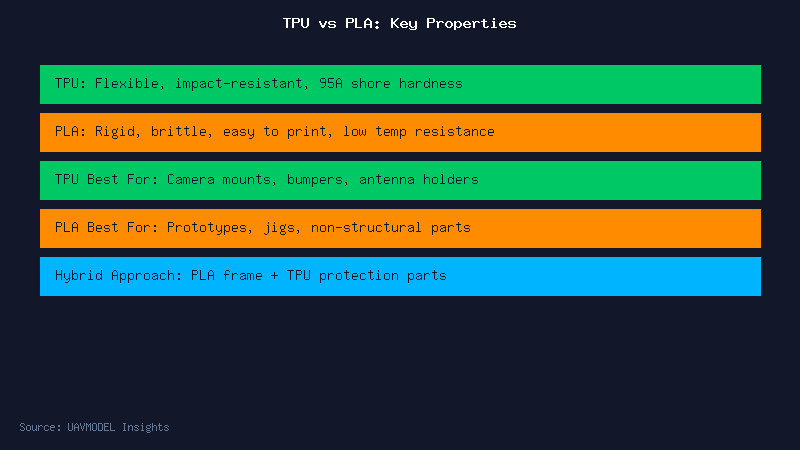
TPU is a flexible filament with rubber-like properties. With a Shore hardness typically around 95A, TPU can absorb significant impact energy without cracking — making it ideal for drone parts that need to survive crashes. TPU printed parts can bend, flex, and return to their original shape without permanent deformation.
Key advantages for FPV use include excellent layer adhesion (parts rarely delaminate), outstanding impact resistance, and good chemical resistance to oils and greases. TPU camera mounts, antenna holders, and landing pads can survive hundreds of crashes that would shatter PLA parts.
The trade-offs: TPU is significantly harder to print. It requires a direct drive extruder (Bowden setups struggle), very slow print speeds (20-30mm/s), and careful retraction tuning to avoid stringing. It also absorbs moisture from the air — always dry TPU before printing.
Understanding PLA (Polylactic Acid)
PLA is the most popular 3D printing filament worldwide due to its ease of use. It prints at relatively low temperatures (190-210°C), does not require a heated bed (though one helps), and produces beautiful surface finishes with minimal warping. PLA is rigid and strong, but brittle — it shatters rather than deforms under impact.
For FPV drone parts, PLA is excellent for prototyping, jigs, and non-structural components like GoPro wedges or decorative covers. It is not recommended for structural frame parts or any component that will experience impact forces. PLA also has poor heat resistance — it begins to soften around 60°C, which can be problematic near hot ESCs or VTXs.
3D Print Settings Comparison
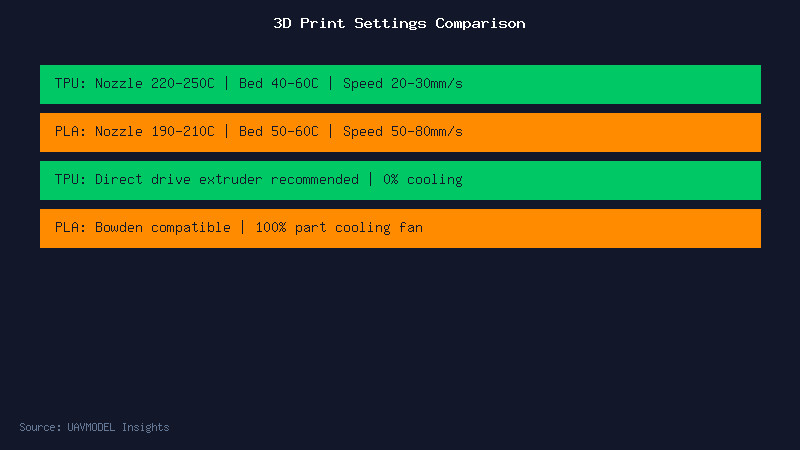
For TPU: nozzle temperature 220-250°C (start at 230°C for most brands), bed temperature 40-60°C, print speed 20-30mm/s with zero part cooling fan. Enable retraction but keep it minimal (1-2mm at 25mm/s) to prevent nozzle jams. Use a 0.4mm or larger nozzle — smaller nozzles clog more easily with flexible filaments.
For PLA: nozzle temperature 190-210°C, bed temperature 50-60°C, print speed 50-80mm/s with 100% part cooling fan starting from layer 2. PLA prints beautifully with almost any settings — that is why it is the go-to for beginners.
Which Material for Which Part?
Camera mounts: TPU wins hands down. The flexibility absorbs vibrations that cause jello in your video, and the impact resistance protects your expensive camera in crashes.
Antenna mounts: TPU again. The flexibility allows you to route antennas at precise angles and the mount bends rather than breaks on impact.
Arm guards and bumpers: TPU is perfect — these are sacrificial parts designed to absorb crash energy.
GoPro mounts: TPU for crash protection, though PLA can work if you only care about weight savings and accept the risk.
Prototyping frames: PLA is excellent for test-fitting components and iterating designs before committing to carbon fiber or a more expensive material.
Non-structural covers: PLA is perfectly adequate and much easier to print with excellent surface finish.
The Hybrid Approach
The best strategy for FPV drone builders is a hybrid approach: use TPU for all parts that need impact resistance and flexibility (mounts, guards, antenna holders), and use PLA or PETG for prototyping and low-stress decorative parts. Many pilots also print arm guards and skid plates in TPU while keeping the core frame in carbon fiber — combining the best of both worlds.
Conclusion
For FPV drone parts, TPU is the superior choice for anything that needs to survive crashes — which is most functional parts. PLA remains valuable for rapid prototyping and aesthetic components. Keep both filaments on hand, and choose based on the mechanical demands of each specific part.