
Building your first FPV drone is one of the most rewarding experiences in the RC hobby. This complete step-by-step guide walks you through selecting components, assembling the frame, soldering electronics, and configuring Betaflight for your maiden flight. Whether you’re coming from a pre-built whoop or diving straight into a 5-inch build, this guide covers everything you need to get airborne safely.
1. Choosing Your First Build — What Size and Style?
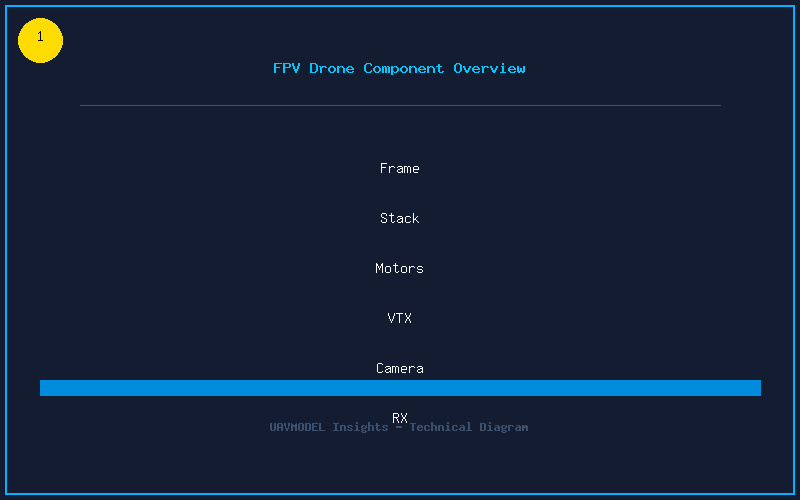
Your first build decision determines everything else. Here are the most popular starting points:
- 3-inch Cinewhoop — Ducted props for safety, can carry a GoPro, great for indoor/outdoor hybrid flying. Ideal if you want cinematic footage in tight spaces.
- 5-inch Freestyle — The gold standard. Powerful, agile, and parts are everywhere. Perfect for learning acrobatics and building soldering skills.
- 7-inch Long Range — Larger frame for efficiency cruising. Not recommended as a first build due to higher cost and more complex tuning.
Recommendation: Start with a 5-inch freestyle build. The TBS Source One V5 frame is an excellent budget-friendly choice with widely available replacement arms, and there are thousands of build guides online for reference.
2. Essential Components — Your Build Checklist
Here is exactly what you need for a complete 5-inch build:
| Component | Recommended Option | Approx. Cost |
|---|---|---|
| Frame | TBS Source One V5 5″ | $30 |
| Flight Controller + ESC Stack | SpeedyBee F405 V4 60A | $70 |
| Motors (4x) | Xing-E Pro 2207 1800KV | $60 |
| Props (10 pairs) | HQProp 5.1×4.3×3 | $10 |
| FPV Camera | Runcam Phoenix 2 | $30 |
| VTX | Rush Tank Ultimate 800mW | $35 |
| Receiver | Happymodel EP1 Dual (ELRS 2.4GHz) | $15 |
| Batteries (2x) | CNHL 6S 1300mAh 120C | $50 |
| Antenna | Foxeer Lollipop 4 MMCX | $10 |
| GPS (optional) | BN-880Q | $15 |
Tools you’ll also need: Soldering iron (TS100 or Pinecil recommended), 63/37 rosin-core solder, flux pen, M2 hex driver set, smoke stopper, multimeter, and zip ties.
3. Frame Assembly — The Foundation
Start with the frame. Lay out all carbon fiber plates, screws, and standoffs. Most frames come with a diagram — follow it. Key tips for a square build:
- Dry fit first. Assemble loosely, then tighten evenly in a cross pattern.
- Use Loctite. A tiny dab of blue (medium) threadlocker on every metal-to-metal screw prevents vibration from loosening your frame mid-flight.
- Check arm alignment. Place the frame on a flat surface — all four motor mounting points should touch evenly. Shim with thin washers if needed.
- Soft-mount the stack. Use the included rubber grommets under your flight controller to isolate it from frame vibrations.
4. Soldering the Electronics — Get It Right the First Time
Soldering is the skill that separates a reliable build from one that falls out of the sky. Follow these rules:
- Temperature: 350-380°C for most pads. Use 400°C for battery leads (thicker wire needs more heat).
- Tin pads first, then wires. Apply a small amount of solder to the pad, tin the wire separately, then flow them together.
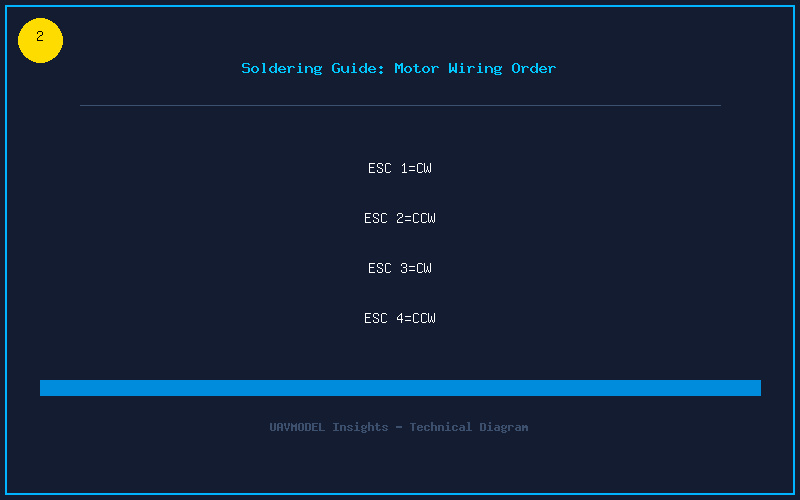
- Motor order matters. Wire motors to the ESC in the correct order. Betaflight’s default motor layout (seen in the Motors tab) must match your physical wiring.
- Capacitor is mandatory. Solder the included low-ESR capacitor (usually 35V 470µF or 1000µF) directly to the battery pads. This absorbs voltage spikes and keeps your video clean.
- Smoke stopper test. Before plugging in a LiPo, use a smoke stopper (current-limiting device). If the light stays dim, you’re good. Bright light = short circuit somewhere.
5. Betaflight Configuration — Your First Flash
Connect your flight controller to Betaflight Configurator via USB. Here is the essential first-time setup:
- Flash firmware. Go to the Firmware Flasher tab, select your target (e.g., SPEEDYBEEF405V4), choose the latest stable release, and flash.
- Set board orientation. Check the Setup tab — tilt the quad and verify the 3D model moves correctly. Adjust gyro/accel alignment if needed.
- Configure receiver. In the Receiver tab, select “Serial-based receiver” and “CRSF” protocol. Verify your sticks move correctly on screen.
- Set Modes. Assign an ARM switch, ANGLE/HORIZON/ACRO switch, and Beeper on the Modes tab.
- ESC protocol. Set to DSHOT600 on the Configuration tab. DSHOT300 works too — both are digital and don’t require calibration.
- Motor direction test. Remove props! Go to the Motors tab, plug in a LiPo, and spin each motor individually. Use the sliders to verify correct spin direction (see diagram in the tab). Reverse any incorrect motors in BLHeliSuite or ESC Configurator.
6. Pre-Flight Checks and Maiden Flight
Before your first flight, verify everything on the bench:
- Failsafe test. Arm the quad (props off), then turn off your radio. The motors should stop immediately.
- Video check. Power up the VTX and verify clear image on your goggles. Set the correct channel and band.
- GPS lock (if installed). Wait for 8+ satellites before arming — this enables GPS Rescue.
- First hover. Find a soft grass field. Arm, gently raise throttle until it lifts off. Hover for 30 seconds, land, and check motor temperatures by touch. Warm is normal; hot means a tuning issue.
Congratulations — you’ve built and flown your first FPV drone! The next steps are PID tuning (covered in our tuning guide) and lots of stick time. Remember: every crash is a learning opportunity, and spare parts are part of the hobby budget.